The Stakeholder Analysis Tool is an Excel template designed to support stakeholder mapping using a structured power/interest matrix. It helps teams identify, position, and analyze stakeholders based on their level of influence and interest, enabling clearer decisions and better project alignment.
This stakeholder mapping Excel template is essential for evaluating projects in relation to the numerous stakeholders involved at different stages. These stakeholders may be external to the project team or the company, including customers or their representatives.
The proposed stakeholder mapping matrix is based on a bi-dimensional graph capturing interest and power or influence, helping teams identify supportive and opposing forces, structure their approach, facilitate discussions, and assess project viability early on.
Designed for professional use, this application is provided as an Excel template and is available in English for companies and professionals.
To view images, click the magnifying glass icon in the top right corner of the image, or browse through the image carousel below.
© marketingdecision.org
€22.00 Exc. VAT
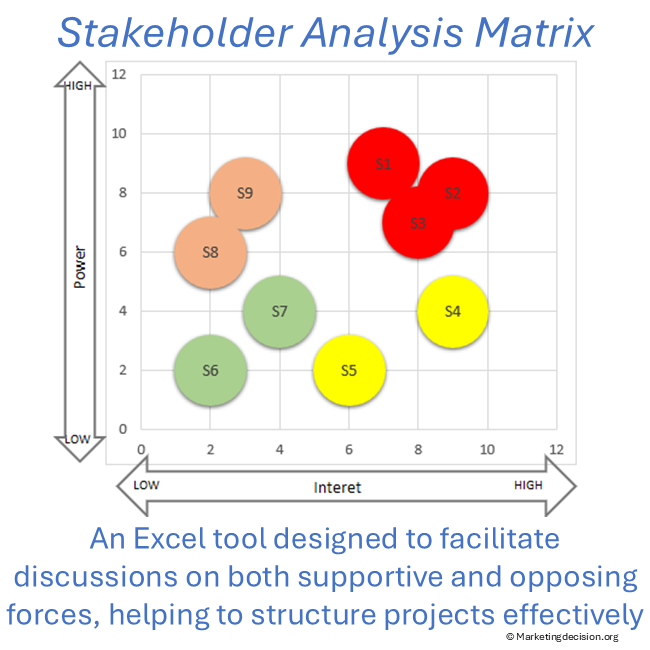
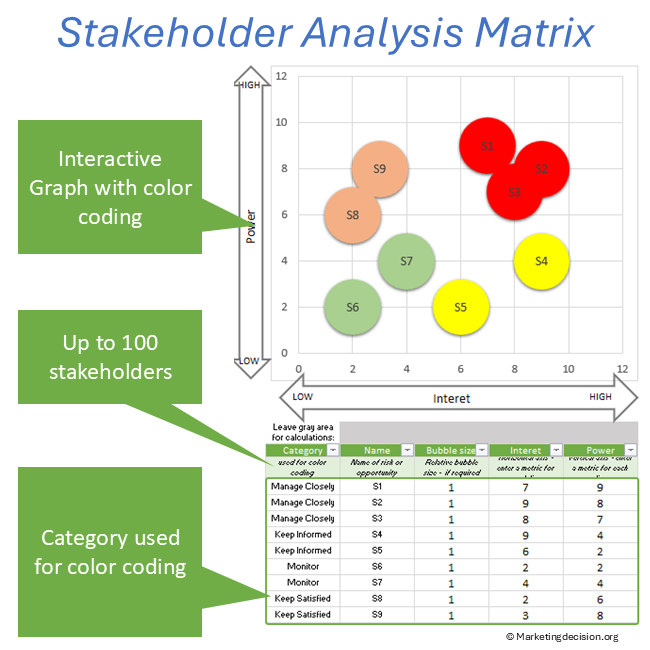
The stakeholder mapping matrix is a widely used framework to visualize stakeholders based on their power and interest. This stakeholder matrix Excel template enables teams to structure stakeholder analysis clearly, compare situations, and adapt their approach depending on project context.
By organizing stakeholders within a power interest matrix, teams can prioritize engagement, anticipate resistance, and align actions with stakeholder expectations.
The power/interest matrix is a core component of stakeholder analysis. By positioning stakeholders across these two dimensions, teams can better understand influence dynamics and define appropriate strategies.
This stakeholder analysis Excel template helps transform qualitative perceptions into structured inputs, making discussions more objective and actionable.
The Stakeholder Analysis Tool is essential for evaluating the strengths and weaknesses of projects in relation to the numerous stakeholders who intervene at various stages. These stakeholders may be external to the project team or the company, including customers or their representatives.
Understanding both supportive and opposing forces in project development is crucial, as it helps structure the approach, strengthen project organization, and assess the project’s viability early on.
The proposed stakeholder mapping Excel template is based on a two-dimensional graph that captures two key dimensions: interest and power or influence. These axes help identify the relative power of each stakeholder and serve as a key tool for development teams to determine strategy, facilitate discussions, and take action.
Prefer a quick visual overview before exploring the features?
This stakeholder mapping Excel template is a two-dimensional matrix where each individual or group is mapped onto a graph to assess their level of interest and power. It is particularly useful for identifying which stakeholders require attention early in the project.
Consider populating the tool in a way that ensures completeness, avoiding the omission of key stakeholders and enabling appropriate actions to be taken early on. One key benefit is that it encourages teams to reflect on project success factors, where communication is often critical.
The bubble size must be set to a non-null value, for example, 1 as in the example. Note that bubble size can be used, if found desirable, to represent a third dimension.
This stakeholder analysis Excel template is designed to facilitate discussions and reveal potential challenges, enabling teams to take proactive measures for project success.
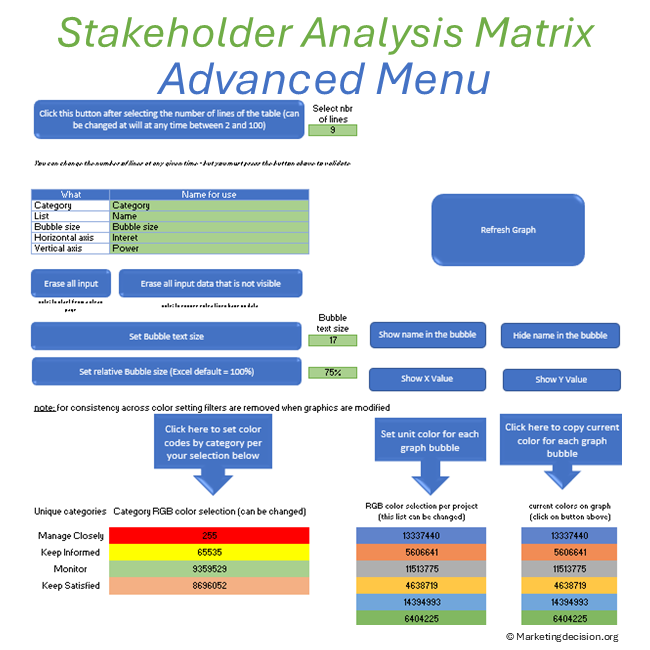
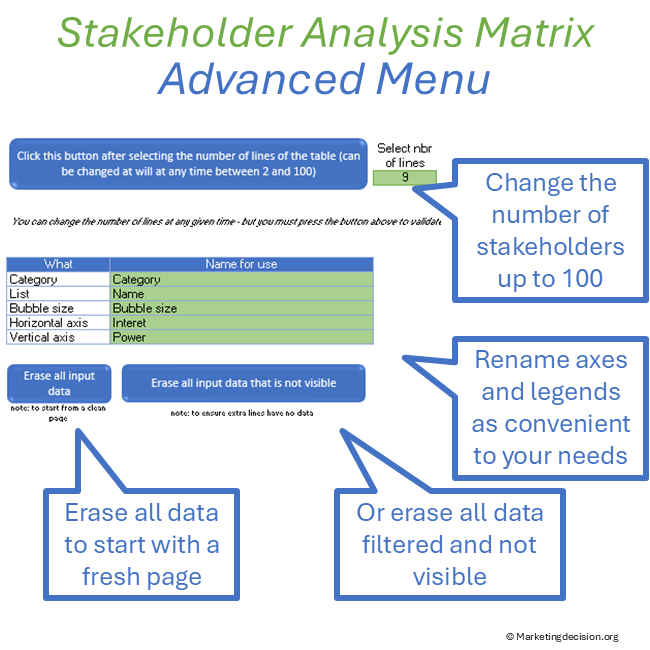
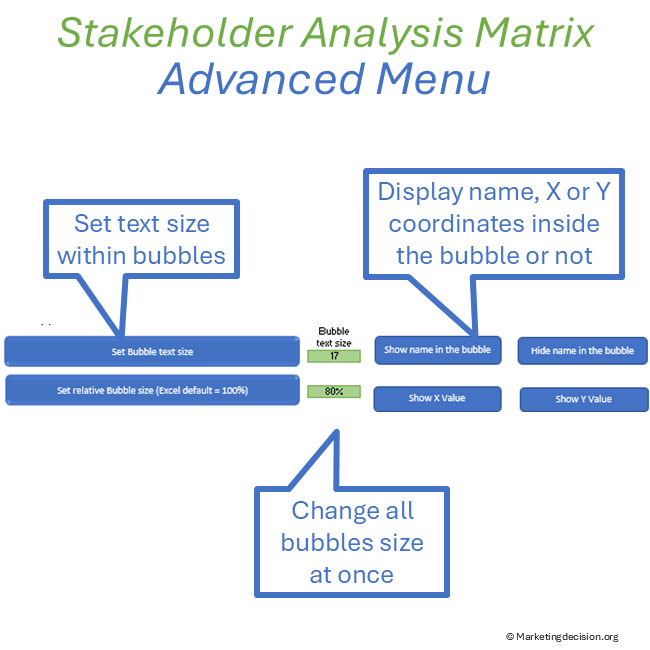
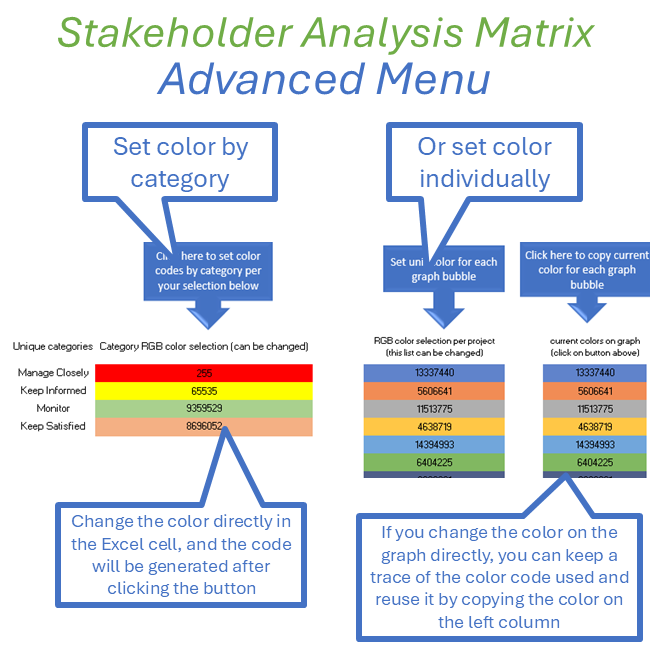
Select the green button “Show Toolbar” to display the advanced features on the left in the “Toolbar” (click again to hide the toolbar):
Note: You have full access to the macros of this file, so you can adapt or create new macros.
Stakeholder tools are more effective when guided by clear objectives. See the Decision Mix framework for stakeholder analysis and decision alignment.
Purchase and use of the application are subject to the applicable General Sales Conditions.
General Sales Conditions — English
Conditions Générales de Vente — Français
We use cookies to improve your experience on our site. By using our site, you consent to cookies.
Manage your cookie preferences below:
Essential cookies enable basic functions and are necessary for the proper function of the website.
These cookies are needed for adding comments on this website.
Stripe is a payment processing platform that enables businesses to accept online payments securely and efficiently.
Service URL: stripe.com (opens in a new window)
Statistics cookies collect information anonymously. This information helps us understand how visitors use our website.
Google Analytics is a powerful tool that tracks and analyzes website traffic for informed marketing decisions.
Service URL: policies.google.com (opens in a new window)