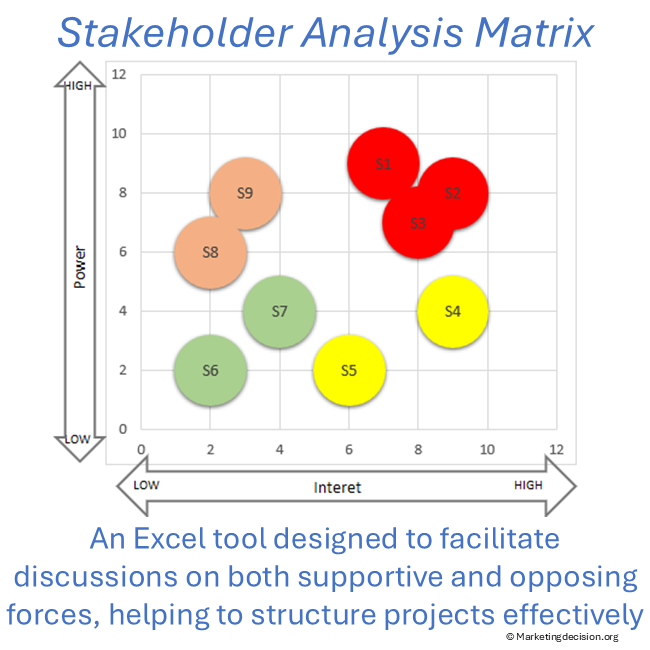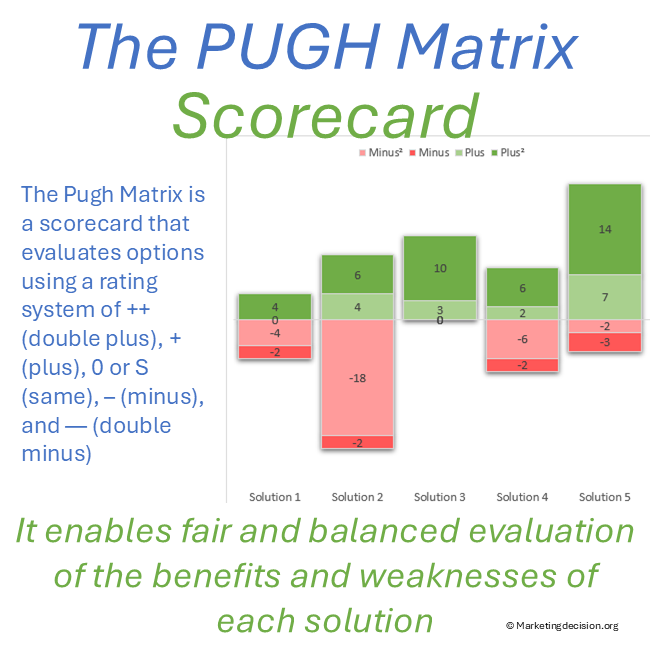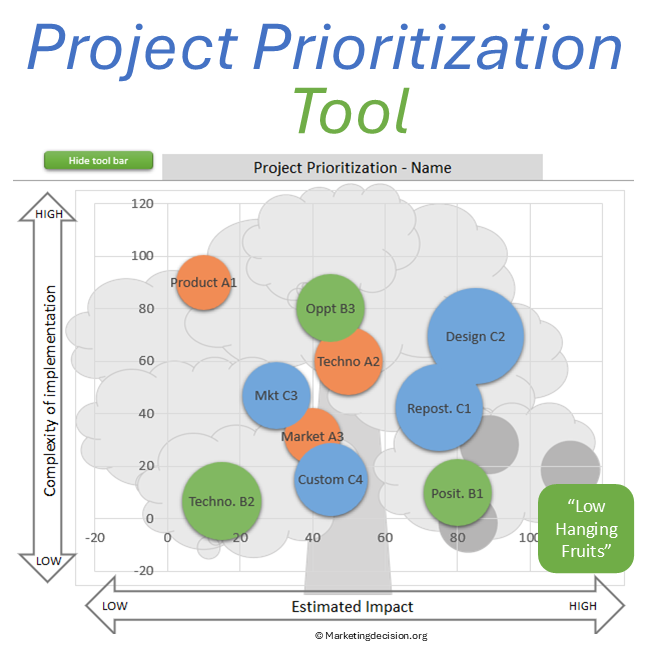
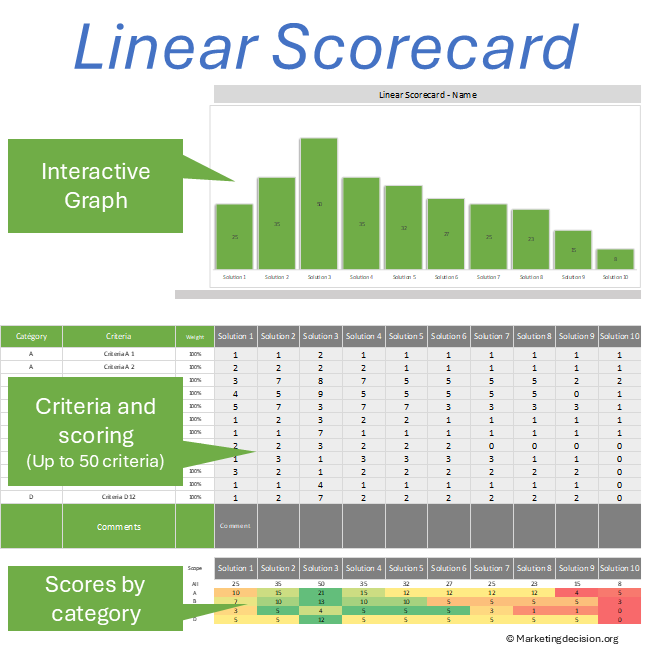
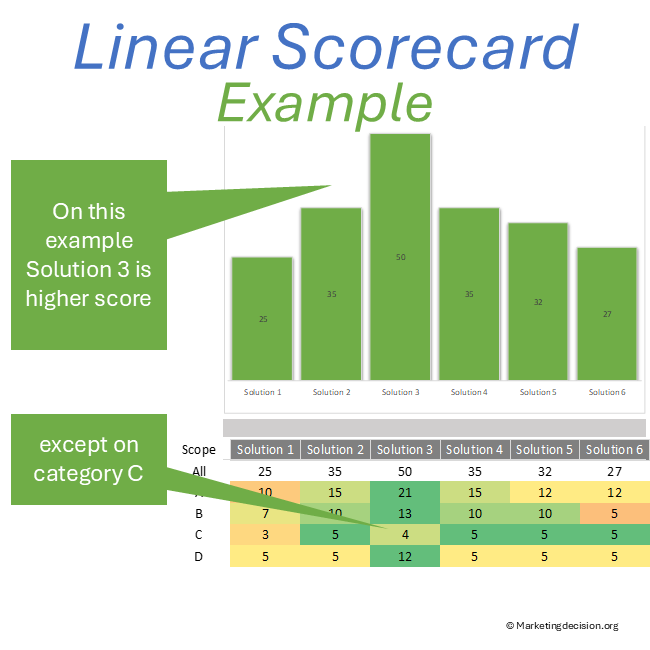
The Weighted Decision Scorecard is an Excel tool designed to help teams compare solutions using weighted criteria and evaluate options consistently.
A weighted decision scorecard – also referred to as a linear scorecard or weighted sum model – is a structured method used to compare multiple options based on defined criteria. By assigning weights and scoring each option, teams can calculate an overall result and support objective, transparent decision-making.
Scorecards facilitate important discussions where multiple viewpoints are typically shared. They provide a rational framework to make, justify, and communicate decisions effectively across stakeholders.
Designed for professional use, this application is available in English for companies and professionals.
To view images, click the magnifying glass icon in the top right corner of the image, or browse through the image carousel below.
© marketingdecision.org
€20.00 Exc. VAT

Decision-making often involves balancing multiple criteria, perspectives, and uncertainties. A structured scorecard helps:
Using an Excel-based template makes the approach easy to apply, adapt, and share across teams.
Prefer a quick visual overview before exploring the features?
A weighted decision scorecard can be used in many professional situations:
These terms are often used interchangeably but reflect different perspectives:
The linear scorecard presented here applies this model in a structured and practical Excel format.
The linear scorecard calculates a score as a weighted sum across multiple criteria, each represented on a linear scale.
Its key advantages include:
The final score provides a solid basis for discussion, allowing teams to challenge assumptions and validate conclusions.
Implementing a weighted decision scorecard is a structured and collaborative process. It can be revisited dynamically, especially during stakeholder discussions.
Ensure the decision context is clearly defined.
Identify objectives, scope, and key stakeholders.
Involve participants early to capture different perspectives and priorities.
This step may evolve as discussions progress.
Define the list of criteria used to compare solutions.
Ensure the list is comprehensive before applying weights.
Populate the scorecard:
Ensure consistency and clarity in scoring rules.
Review outcomes with stakeholders:
This step strengthens decision robustness and acceptance.
Building a scorecard goes beyond preparing a spreadsheet. It requires collaboration and alignment.
A well-built scorecard improves both decision quality and team alignment.
This approach is particularly useful when:
It is a reliable framework for complex decision environments.
Save this tool once downloaded for future use. A copy should be created for each new application.
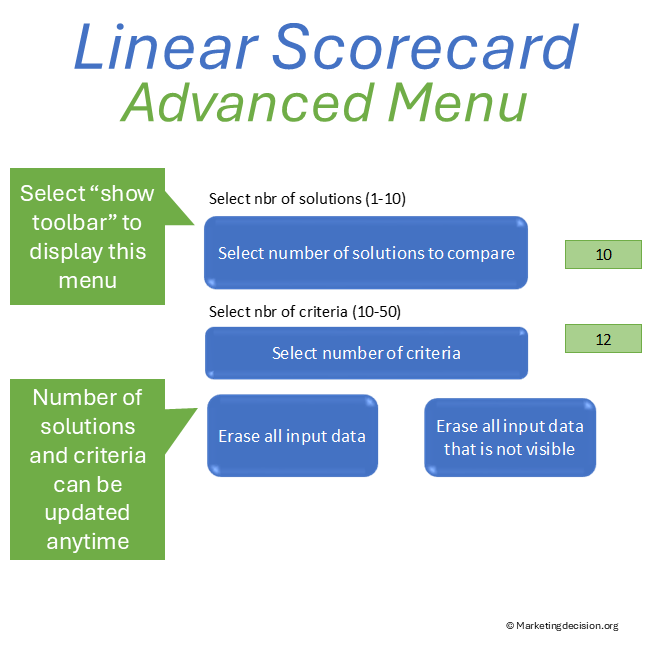
On the “Comparison” page, select “Show Toolbar” to access parameters:
The tool includes full access to macros for customization.
Campaign prioritization becomes clearer when tied to promotion objectives. Refer to Promotion Strategy for alignment with communication goals.
Scorecards gain meaning when connected to purpose and alignment. Refer to the Decision Mix to reinforce decision consistency.
Purchase and use of the application are subject to the applicable General Sales Conditions.
General Sales Conditions — English
Conditions Générales de Vente — Français
We use cookies to improve your experience on our site. By using our site, you consent to cookies.
Manage your cookie preferences below:
Essential cookies enable basic functions and are necessary for the proper function of the website.
These cookies are needed for adding comments on this website.
Stripe is a payment processing platform that enables businesses to accept online payments securely and efficiently.
Service URL: stripe.com (opens in a new window)
Statistics cookies collect information anonymously. This information helps us understand how visitors use our website.
Google Analytics is a powerful tool that tracks and analyzes website traffic for informed marketing decisions.
Service URL: policies.google.com (opens in a new window)