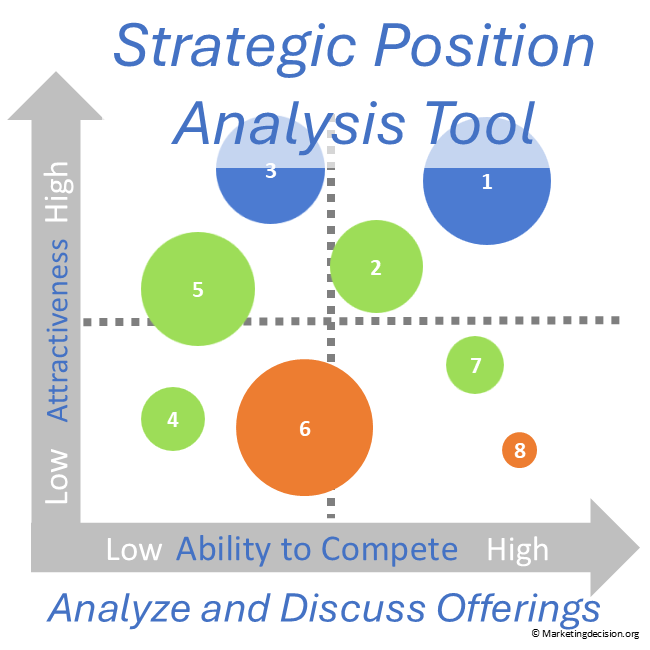
When markets, solutions, projects or initiatives compete for resources and investments, a clear comparison helps teams understand where opportunities may exist and where further investigation is worthwhile.
The Market Attractiveness Matrix Excel Tool provides an interactive visual representation of these alternatives, helping teams compare Market Attractiveness, Ability to Win / Competitive Strength and Market Potential in one view.
Update assessments as the discussion develops and see immediately how changes affect the overall picture.
The interactive matrix makes portfolio comparisons easier to visualize, discuss and refine.
© marketingdecision.org
€22.00 Exc. VAT
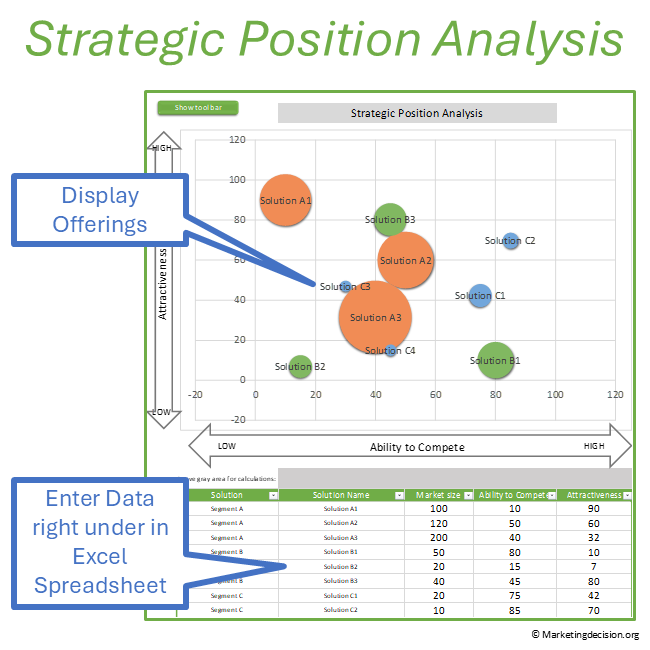
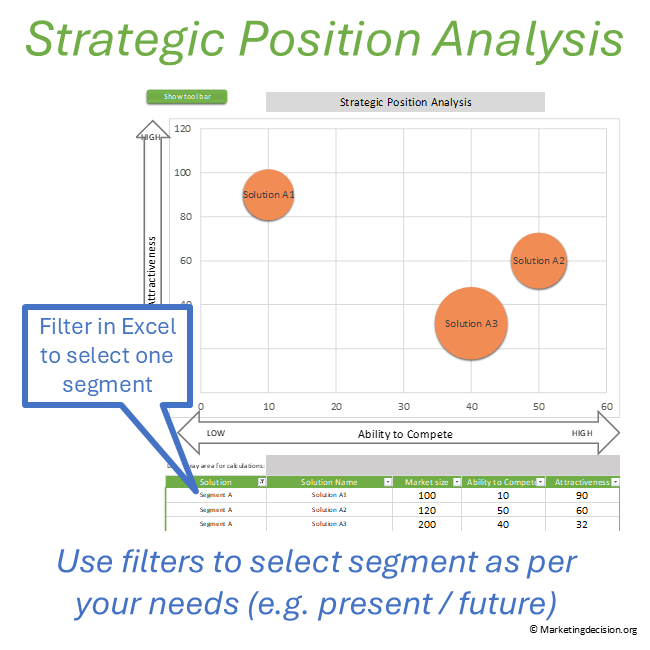
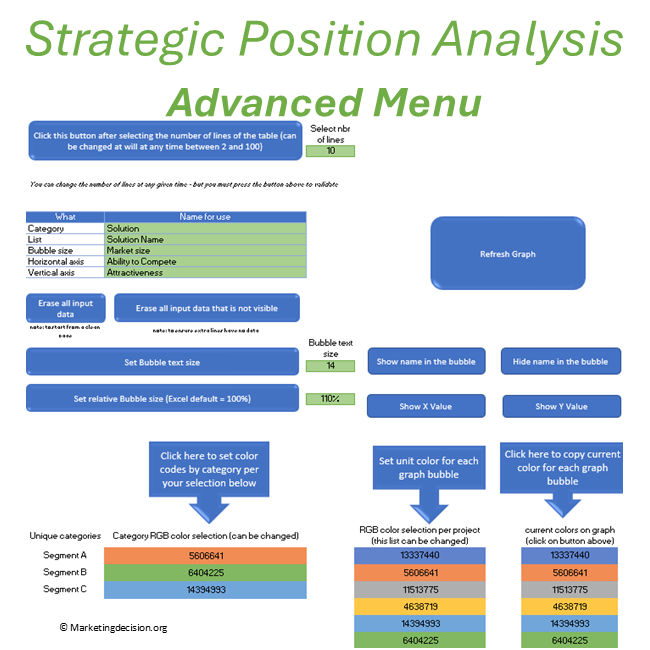
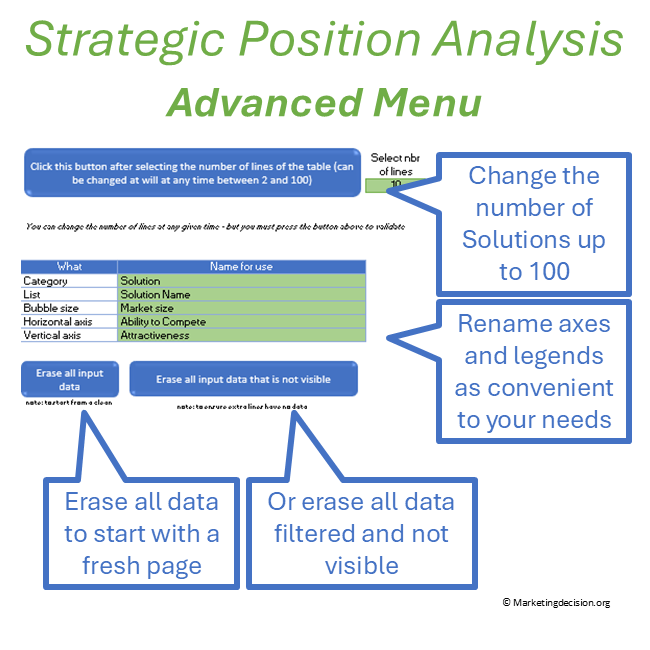
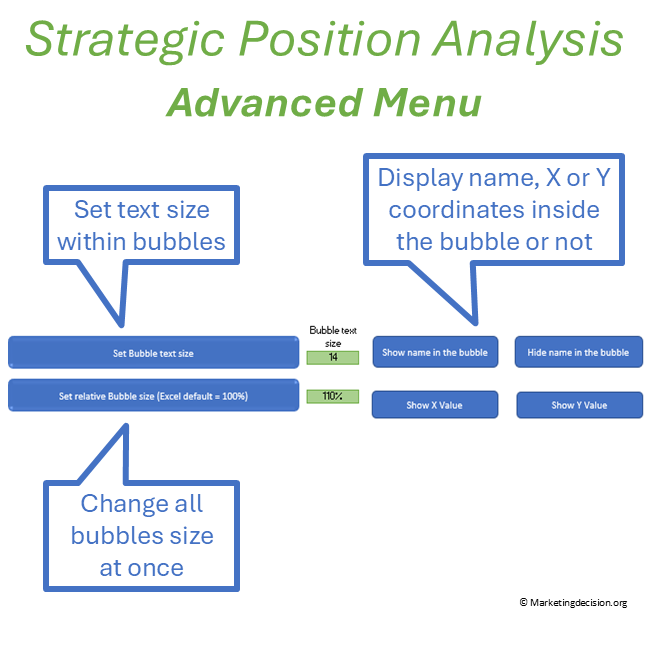
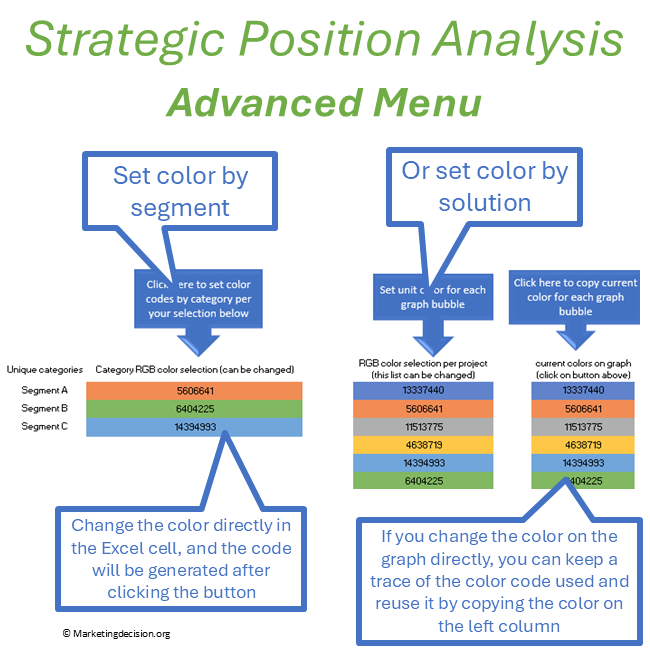
The workbook can display from 2 to 100 opportunities and organize them into categories such as market segments, projects, initiatives or business units. Filters allow teams to focus on selected categories or opportunities.
For Strategic Position Analysis, the workbook includes a preset configuration using:
Ability to Win / Competitive Strength – horizontal axis
Attractiveness – vertical axis
Relative opportunity size – bubble size
Bubble size can represent market volume, profitability, ROI or another relevant measure. Colors can distinguish categories, individual opportunities or different situations, such as present and future positions.
Axes and table legends can also be renamed, allowing the same visual structure to support different strategic questions.
Prefer a quick visual overview before exploring the features?
Put the first map in front of a team and the discussion starts immediately.
Is this market really that attractive? Are we underestimating our ability to win? Why is one opportunity positioned ahead of another?
Different perspectives make the analysis valuable. Marketing may bring evidence about market development, Sales may challenge the competitive position, and Product may identify capabilities that could strengthen the company’s ability to win.
As assumptions are questioned, update the values and see the graph change immediately. Opportunities can move, their relative importance can change, and different categories can be displayed to explore another part of the portfolio.
The visualization evolves with the discussion, allowing the team to see immediately how a different assessment affects the overall picture.
Values can be based on relative assessments or on more structured calculations, depending on the decision and the level of analysis required.
The same analysis can support different decisions across an organization.
A product team may compare solutions for further development. A regional team may assess market segments or growth opportunities. A business unit may compare strategic initiatives or identify capabilities that need strengthening. Management may review opportunities competing for common resources or investment.
The underlying question remains similar:
Where does an attractive opportunity coincide with a credible ability to win, and what deserves further attention?
The workbook can follow the scope of that question.
Categories might distinguish regions, product families, market segments or business units. Bubble size can represent market potential, revenue, profitability, ROI or another relevant measure. Filters allow the team to focus on selected parts of the portfolio, while configurable axes and legends provide flexibility when another perspective is useful.
The analysis can therefore remain focused on the decision being considered rather than forcing every team or situation into one fixed model.
Strategic Position Analysis provides one perspective on an opportunity.
As opportunities move towards significant investment, additional questions become important. Expected returns, investment requirements, available budgets and resources, risks, technical feasibility, strategic dependencies, stakeholder support and sponsorship may all influence the final decision.
Larger investments may require deeper financial analysis, additional evidence and a formal business case or business plan.
The matrix helps identify where deeper analysis and discussion are worth the effort.
It can also reveal where information is missing, assumptions need to be tested, or capabilities need to be strengthened before a decision can be made.
The workbook supports:
Users also have access to the embedded macros, allowing experienced Excel users to review or adapt the workbook when additional customization is required.
The Excel workbook makes the analysis practical. The Strategic Position Analysismethodology explains the reasoning behind it – from Market Attractiveness and Ability to Win to strategic positioning, team discussion and the role of the analysis within broader investment decisions.
Purchase and use of the application are subject to the applicable General Sales Conditions.
General Sales Conditions — English
Conditions Générales de Vente — Français
We use cookies to improve your experience on our site. By using our site, you consent to cookies.
Manage your cookie preferences below:
Essential cookies enable basic functions and are necessary for the proper function of the website.
These cookies are needed for adding comments on this website.
Stripe is a payment processing platform that enables businesses to accept online payments securely and efficiently.
Service URL: stripe.com (opens in a new window)
Statistics cookies collect information anonymously. This information helps us understand how visitors use our website.
Google Analytics is a powerful tool that tracks and analyzes website traffic for informed marketing decisions.
Service URL: policies.google.com (opens in a new window)