
The Symbol Text Generator is an Excel tool that allows you to create structured text using symbols, making your messages clearer and easier to read in presentations, reports, or documents.
By enabling you to add symbols before or after text and apply colors, the tool helps highlight key ideas and improve communication easily. The generated content can be copied and pasted directly into PowerPoint, Word, or other formats.
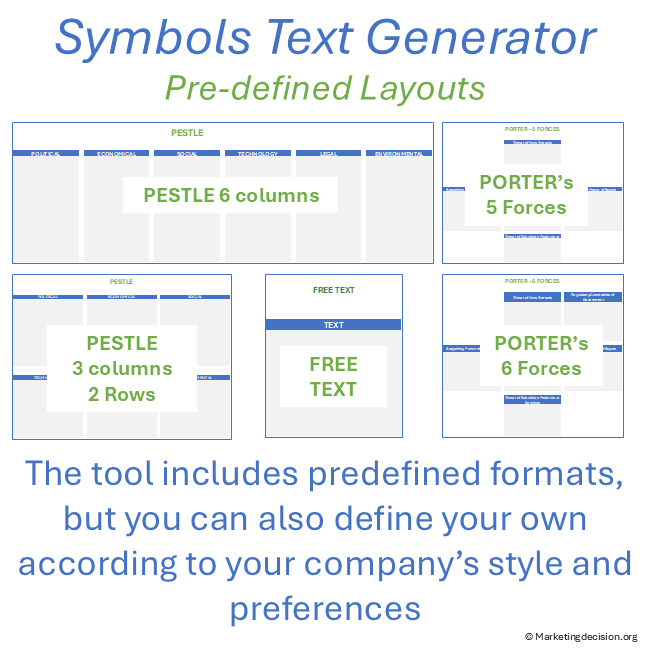
This tool is particularly useful when summarizing insights, structuring conclusions, or preparing outputs from frameworks such as PESTLE or Porter’s Competitive Analysis, where clarity and synthesis are essential.
Designed for professional use, this application is provided as an Excel file and is available in English for companies and professionals.
To view images, click the magnifying glass icon in the top right corner of the image, or browse through the image carousel below.
© marketingdecision.org
€15.00 Exc. VAT
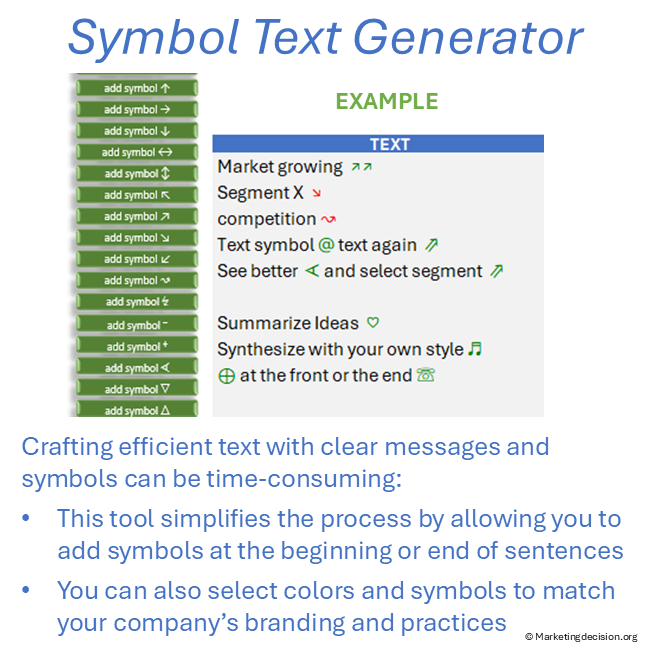
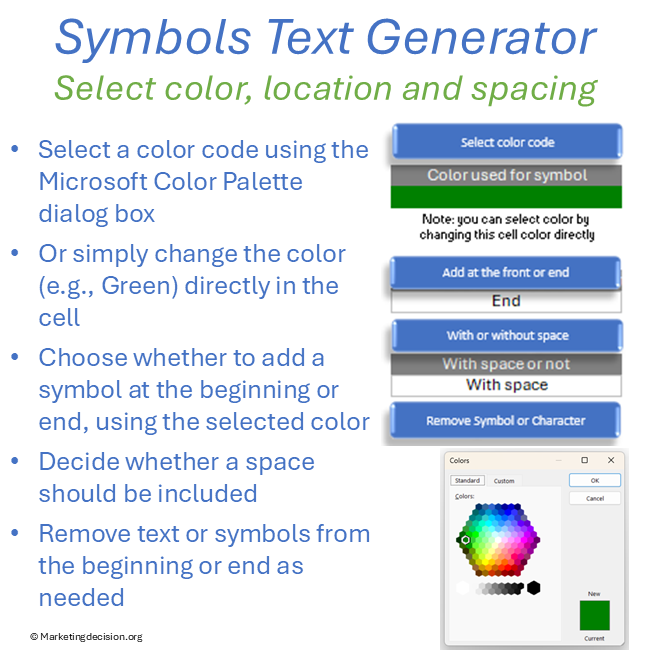
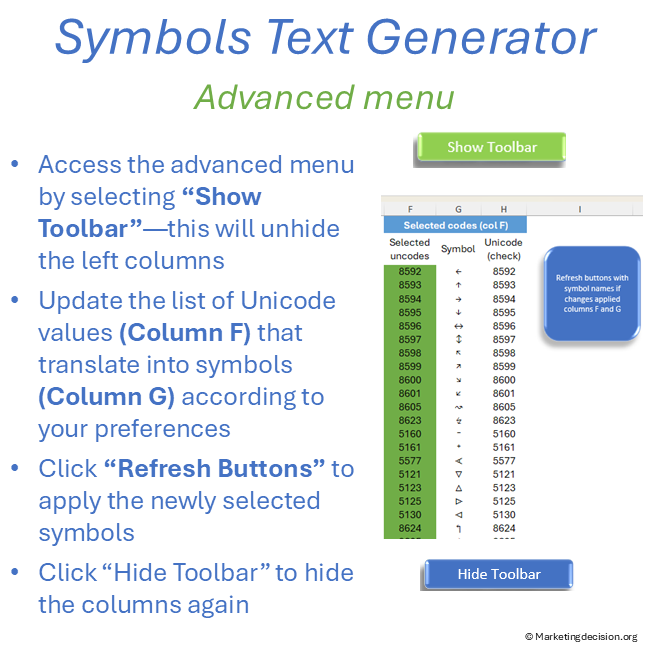
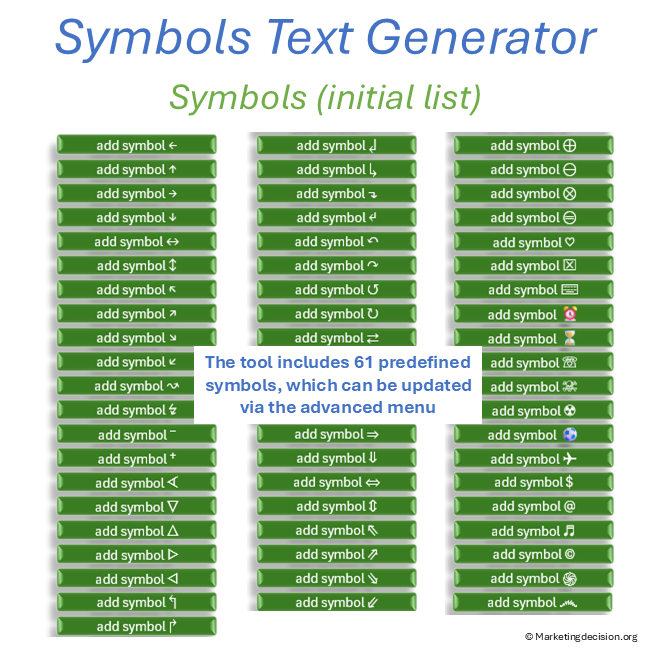
The tool is designed to generate text with symbols in a simple and efficient way:
This allows you to quickly generate clear, structured text with symbols for professional communication.
For examples please review images from the gallery above or view our YourTube presentation.
Prefer a quick visual overview before exploring the features?
The tool is designed to be practical, flexible, and immediately usable:
This Excel tool includes pre-formatted templates to support structured analysis and reporting:
Each model is organized in separate tabs for easy navigation. You can update text, generate symbol-based formatting, and copy-paste results directly into your presentations.
Tabs can also be duplicated and adapted to match your specific needs.
When working with large amounts of information, clarity becomes critical.
The Symbol Text Generator helps you:
While the value lies in the analysis itself, this tool ensures that your final communication is clear, structured, and impactful.
Purchase and use of the application are subject to the applicable General Sales Conditions.
General Sales Conditions — English
Conditions Générales de Vente — Français

We use cookies to improve your experience on our site. By using our site, you consent to cookies.
Manage your cookie preferences below:
Essential cookies enable basic functions and are necessary for the proper function of the website.
These cookies are needed for adding comments on this website.
Stripe is a payment processing platform that enables businesses to accept online payments securely and efficiently.
Service URL: stripe.com (opens in a new window)
Statistics cookies collect information anonymously. This information helps us understand how visitors use our website.
Google Analytics is a powerful tool that tracks and analyzes website traffic for informed marketing decisions.
Service URL: policies.google.com (opens in a new window)