Description
How to Use the Symbol Text Generator
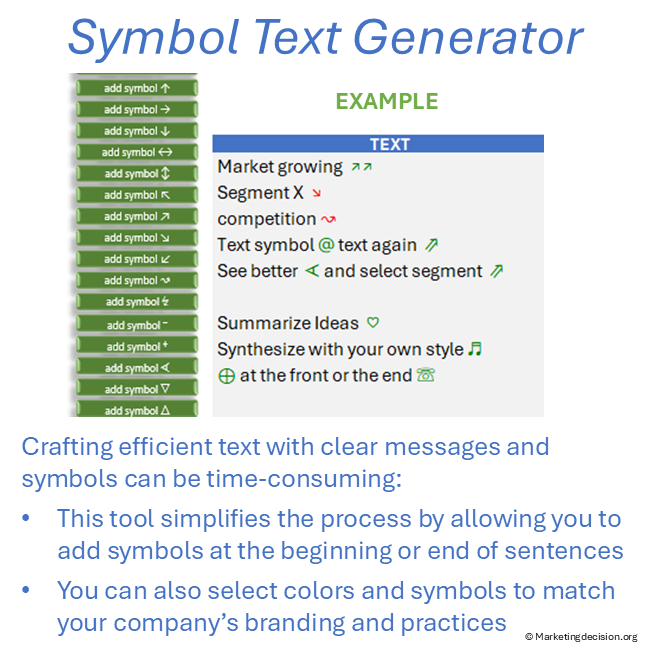
The tool is designed to generate text with symbols in a simple and efficient way:
- Enter your text in Excel
- Select symbols from the predefined list
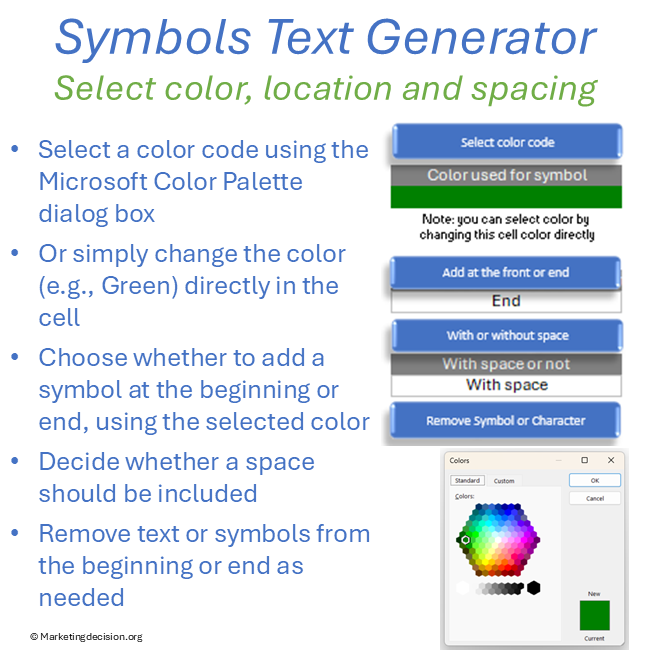
- Choose whether to place symbols before or after the text
- Apply colors and formatting
- Copy and paste the result directly into your presentation or document
This allows you to quickly generate clear, structured text with symbols for professional communication.
For examples please review images from the gallery above or view our YourTube presentation.
Symbol Text Generator Features
The tool is designed to be practical, flexible, and immediately usable:
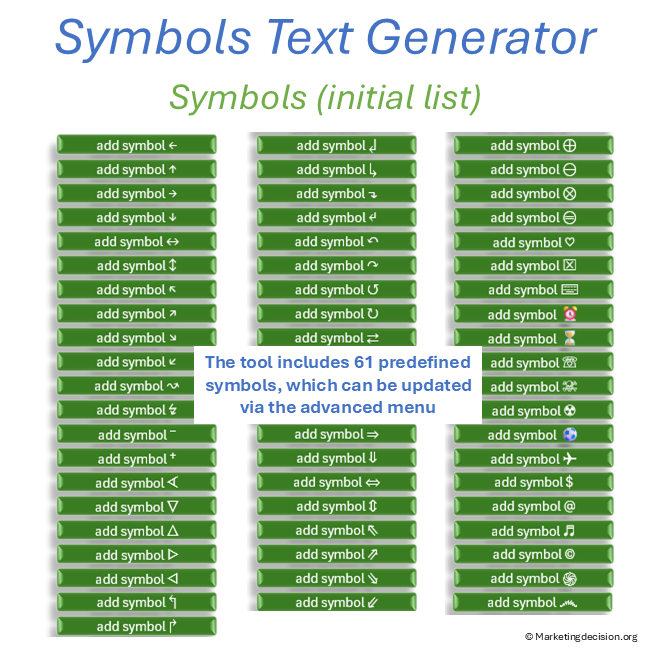
- Add symbols easily from a list of 61 predefined symbols
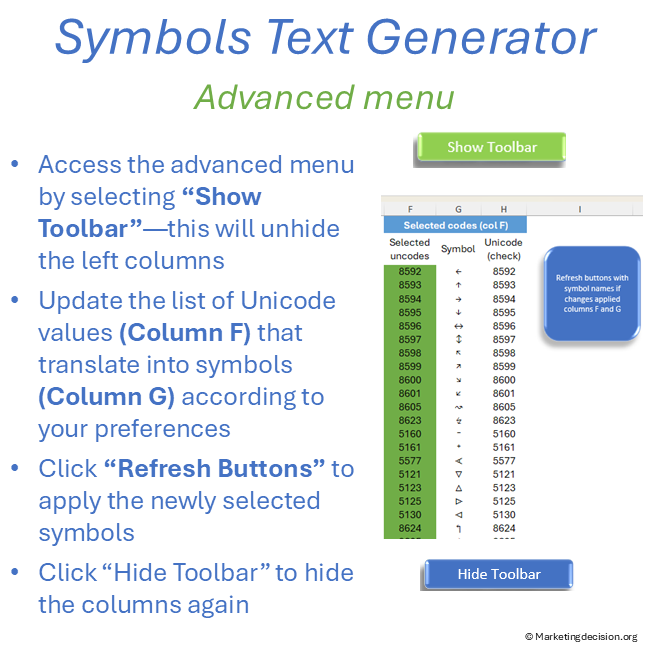
- Customize your own symbol list (advanced users – Excel knowledge required) with access to up to 10,000 symbols
- Choose symbol colors aligned with your company branding
- Select whether to place symbols before or after the text
- Option to include or remove spacing between symbols and text
- Remove symbols individually from the beginning or end of sentences
- Adjust formatting and styling using standard Excel text options
Designed for Structured Business Communication
This Excel tool includes pre-formatted templates to support structured analysis and reporting:
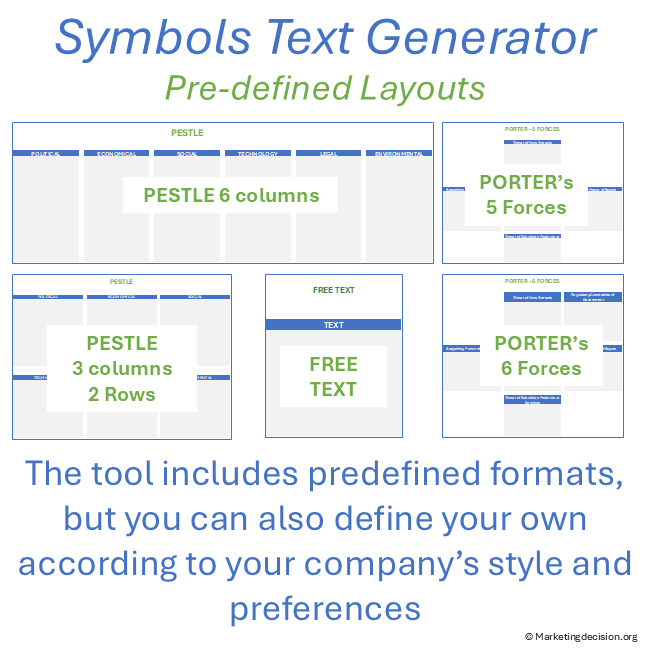
- Porter’s 5 Forces
- Porter’s 6 Forces
- PESTLE Analysis
- Free Text page for general use
Each model is organized in separate tabs for easy navigation. You can update text, generate symbol-based formatting, and copy-paste results directly into your presentations.
Tabs can also be duplicated and adapted to match your specific needs.
Why Use a Symbol Text Generator
When working with large amounts of information, clarity becomes critical.
The Symbol Text Generator helps you:
- Synthesize complex information into short, clear messages
- Highlight key insights visually
- Structure outputs from workshops and analysis sessions
- Improve the readability of presentations and reports
While the value lies in the analysis itself, this tool ensures that your final communication is clear, structured, and impactful.
Usage & Licensing
Please review the Sales Conditions available on this website to fully understand your rights and usage restrictions.
- This product is intended for professional use only
- Usage is limited to the individual buyer or members of the same business unit
- A business unit is defined as up to 100 employees
- Additional licenses must be purchased beyond this limit
The download link:
- Is valid for two months
- Allows up to 10 downloads
Users have full access to the application, including embedded macros, and may adapt it as needed. However, all branding and references to marketingdecision.org must remain visible.
Technical Requirements
To use this application, you must have:
- Microsoft Excel (Microsoft 365 or Excel 2019 and later)
- A Windows-based PC
The tool uses advanced dynamic range functions, requiring a compatible version of Excel.
Feedback
We welcome your feedback to improve this tool.
Feel free to contact us at contact@marketingdecision.org
Watch a Demo
A demonstration video is available below to help you understand how to generate text with symbols and use the tool effectively.