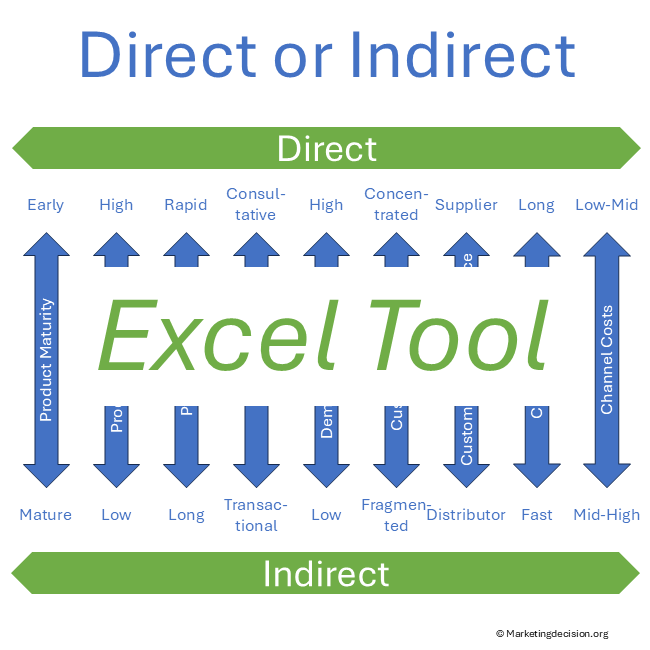
This benchmark template Excel helps teams evaluate sales channels and Go-to-Market performance using a structured scoring approach. Designed as a practical benchmarking spreadsheet, it allows you to compare options, identify gaps, and support data-driven decisions across your sales organization.
It provides a practical framework to identify strengths, reveal gaps, and align teams on improvement priorities. By structuring discussions across key placement dimensions, the tool transforms complex organizational questions into clear, actionable insights.
Designed for professional use, this benchmarking template Excel supports both individual analysis and collaborative workshops. It can be easily adapted to different organizational contexts.
To view images, click the magnifying glass icon in the top right corner of the image, or browse through the image carousel below.
© marketingdecision.org
€17.00 Exc. VAT

This benchmark template Excel is particularly useful in the following situations:
This type of evaluation is typically part of a broader Channel Benchmark approach used to assess and optimize Go-to-Market performance.
This Excel-based benchmarking template enables teams to:
By organizing evaluation criteria in a consistent format, the tool helps turn fragmented opinions into structured, comparable insights.
This benchmark spreadsheet is specifically adapted to assess Go-to-Market and placement strategies, including:
It provides a clear view of how your organization delivers products and services to the market.
This benchmark template Excel can also be used to compare sales organization models and channel structures in a consistent way.
Prefer a quick visual overview before exploring the features?
The tool is based on a simple and effective scoring model:
This evaluation template Excel supports fact-based discussions and helps teams focus on what truly differentiates performance.
Using this benchmark template Excel helps organizations:
It is particularly valuable when preparing or evaluating changes in sales organization or distribution strategy.
For example, a company reviewing its indirect channel strategy can use this benchmark template Excel to compare regions, assess support functions, and identify gaps in sales coverage before defining a new Go-to-Market model.
This benchmarking spreadsheet is designed for practical and flexible use:
The template can be adapted to your industry, business model, and organizational structure.
This benchmark spreadsheet Excel format makes it easy to compare multiple evaluation dimensions and adapt the tool to different decision contexts.
A key strength of this benchmark template Excel is its ability to support collaborative evaluation.
By sharing the template before a workshop, participants can:
This makes the benchmarking process both analytical and engaging, leading to stronger alignment and better decisions.
This template is particularly useful before major sales or channel transformation decisions. Most teams use this benchmarking spreadsheet to structure workshops and align stakeholders.
This benchmark template Excel complements broader strategic analysis and helps translate concepts into practical evaluation.
This benchmark template Excel is based on the Channel Benchmark framework, which is used to assess sales channels, support functions, and Go-to-Market organization in a structured way.
This tool can also be used alongside other decision tools such as:
Together, these tools support structured, transparent, and effective decision-making.
See also the Place Mix Strategy page for additional context and strategic foundations in the broader placement framework.
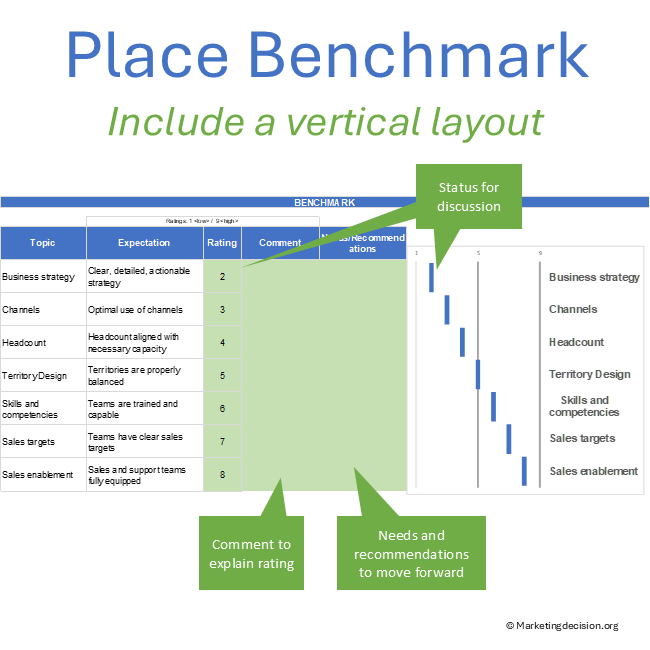
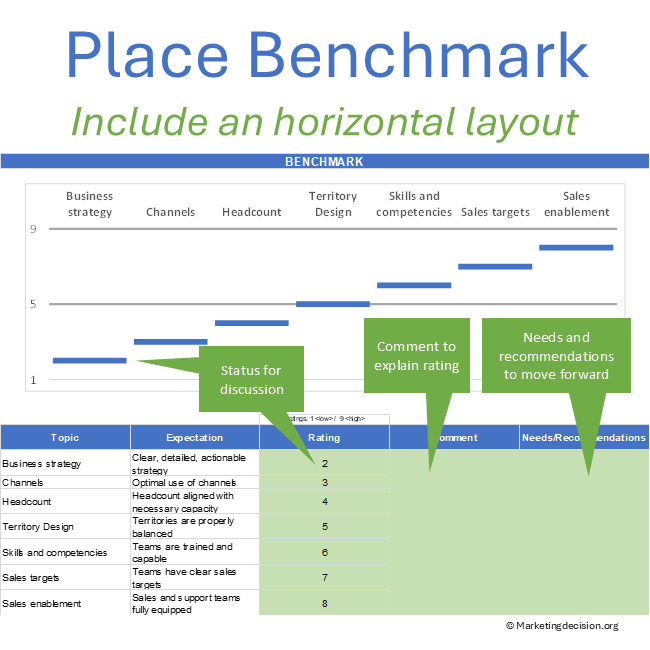
The benchmark template Excel is structured around a set of predefined categories designed to support a comprehensive evaluation of your Go-to-Market organization.
The template initially includes the following categories:
These categories reflect the key dimensions used to assess sales organization effectiveness and channel performance.
They can be fully customized and extended depending on your specific context, industry, or organizational structure.
Each category is evaluated using a fixed rating scale from 1 (low) to 9 (high).
This consistent scale ensures:
You may define your own interpretation of each score to reflect your internal standards and evaluation criteria.
To complement quantitative scoring, the tool includes two dedicated areas for qualitative input:
These sections ensure that benchmarking is not limited to scoring, but leads to meaningful insights and actionable outcomes.
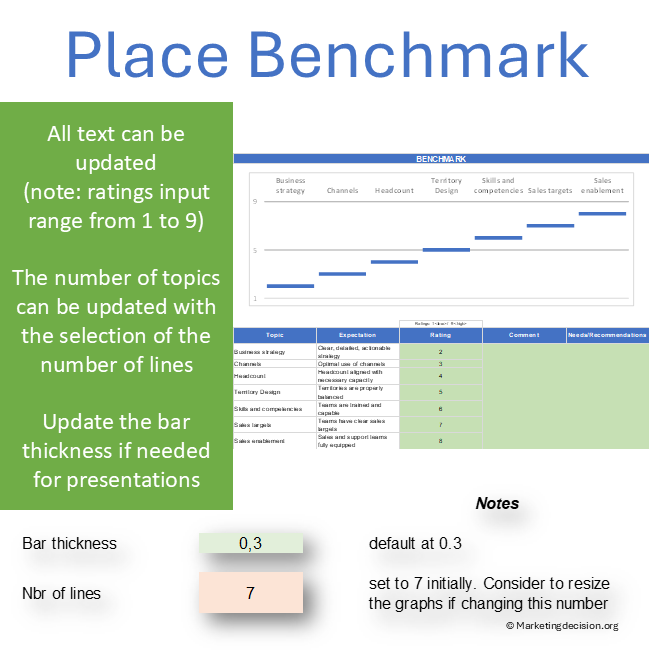
The benchmarking template Excel includes additional configuration options to adapt the template to your specific needs and presentation preferences.
Within the “Parameters” tab, several elements can be adjusted:
When modifying the number of categories:
These adjustments allow full control over the visual presentation.
This benchmark template Excel can be used in combination with other frameworks available on this site.
For example:
This makes the tool not only a benchmarking instrument, but also a starting point for broader decision-making and transformation initiatives.
Purchase and use of the application are subject to the applicable General Sales Conditions.
General Sales Conditions — English
Conditions Générales de Vente — Français
We use cookies to improve your experience on our site. By using our site, you consent to cookies.
Manage your cookie preferences below:
Essential cookies enable basic functions and are necessary for the proper function of the website.
These cookies are needed for adding comments on this website.
Stripe is a payment processing platform that enables businesses to accept online payments securely and efficiently.
Service URL: stripe.com (opens in a new window)
Statistics cookies collect information anonymously. This information helps us understand how visitors use our website.
Google Analytics is a powerful tool that tracks and analyzes website traffic for informed marketing decisions.
Service URL: policies.google.com (opens in a new window)