 Forecasting market growth rarely depends on a single source.
Economic indicators, industry estimates, external forecasts and internal data may each provide a different perspective on how a market could develop.
The challenge is not simply to collect more data. It is to compare these different signals, understand where they converge or diverge, and establish a market growth assumption that can be explained and discussed.
The Market Forecasting Excel Tool helps you bring multiple quantitative sources together, compare their evolution year by year, and build a structured market forecast.
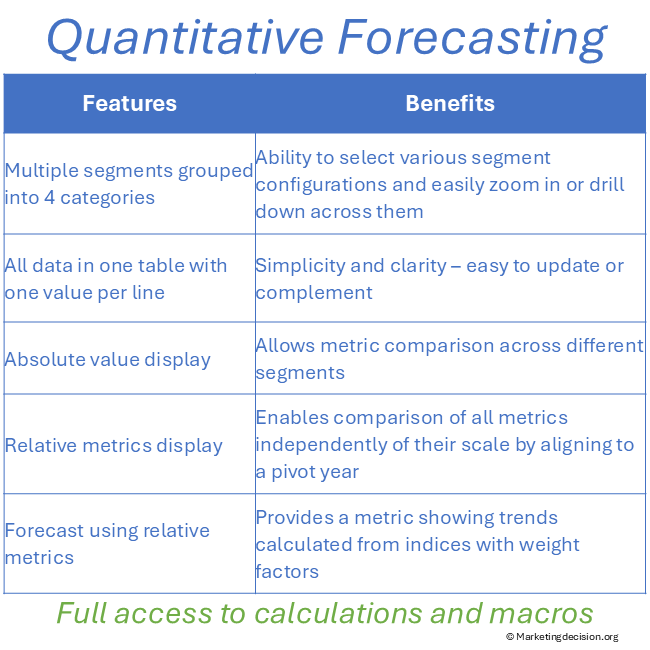
The same analysis can be explored across up to four independent market dimensions. You can focus on selected regions, countries, technologies, business units or other segments, while dimensions that are not required can be hidden and automatically aggregated. This allows the same forecasting model to support both detailed market analysis and more consolidated views.
Rather than hiding the underlying information behind a single calculated result, the tool keeps the different sources visible throughout the analysis.
This helps teams understand the evidence behind the forecast, challenge assumptions and agree on a market outlook they can use for planning and decision-making.
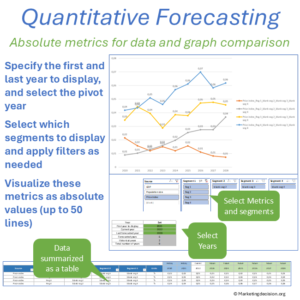
The tool provides two complementary ways to examine quantitative market information.
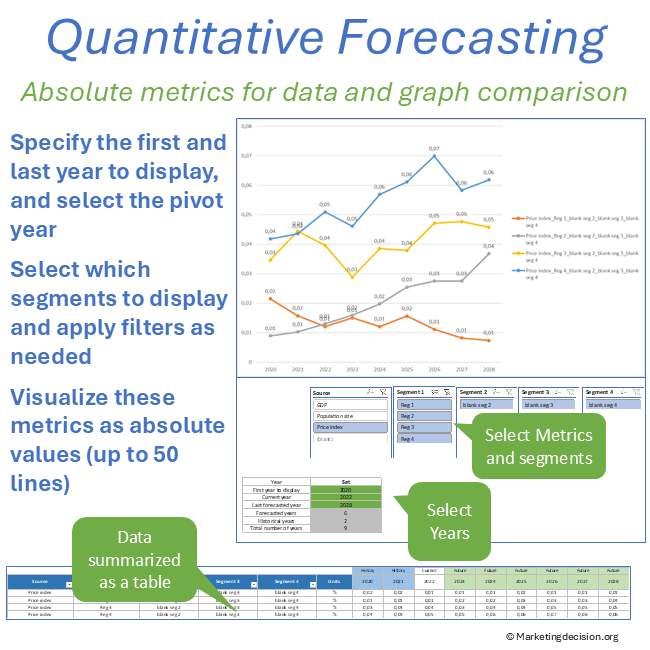
Absolute analysis keeps the original values and units visible.
This is useful when you want to examine the actual values behind a forecast or compare datasets expressed in compatible units.
It allows you to review the underlying information before deciding how it should contribute to the forecast.
Market indicators often use completely different units.
GDP may be expressed in currency, an industry index in points, market demand in units, and another indicator as a percentage.
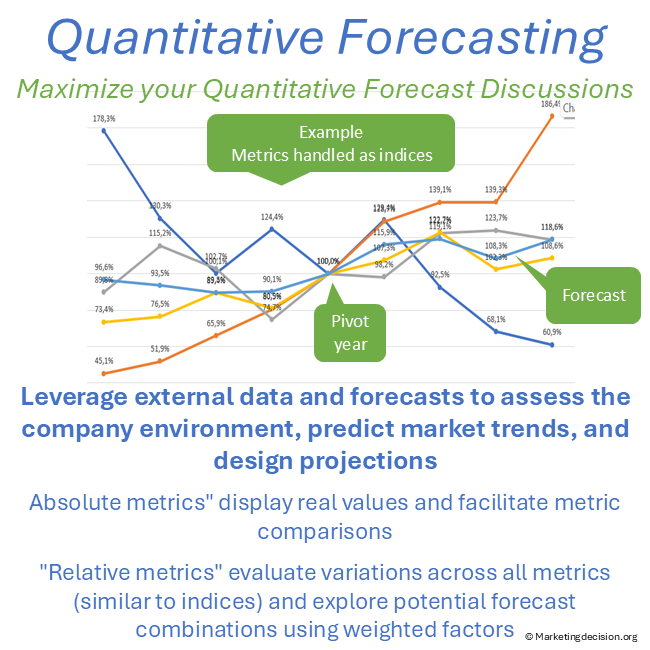
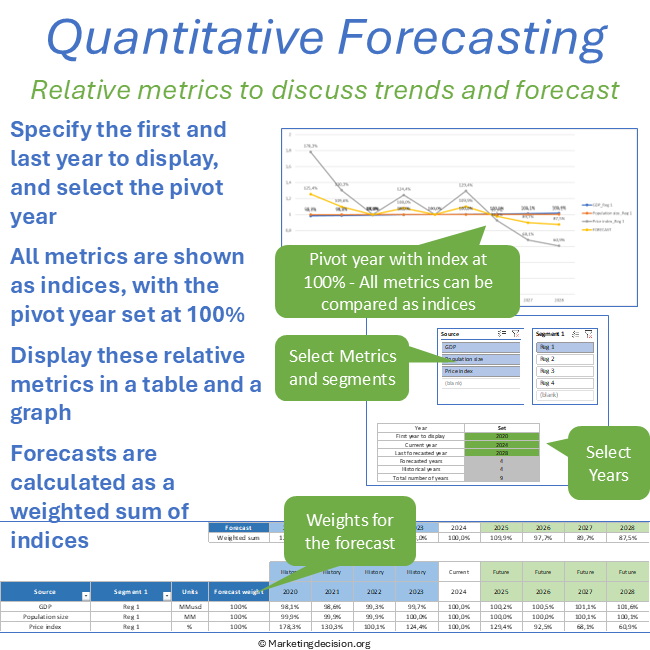
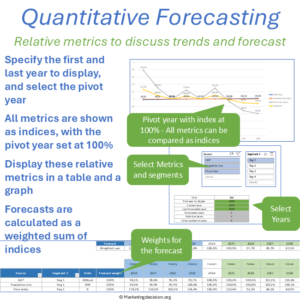
Relative analysis aligns these different metrics around a common reference year. Each annual data series can then be compared from the same starting point, making different growth trajectories visible even when their original values cannot be compared directly.
The objective is not to pretend that different metrics measure the same thing. It is to make their year-by-year growth trajectories comparable.
 Once the different trajectories are visible, you can decide how much relevance each source should have in the final forecast.
The tool allows you to assign different weights to selected metrics. These weights are normalized to 100% and used to calculate a consolidated market forecast.
You can display the consolidated forecast together with the individual metrics or focus on the final market outlook.
This makes the reasoning behind the forecast visible.
Instead of presenting a number without context, you can show which information contributed to the assumption and how the different sources were considered.
The result is a structured market forecast that can be reviewed, challenged and adjusted as assumptions or market conditions change.
The tool is designed for annual market forecasting.
Each metric uses one value per year, allowing different annual datasets to be compared across the same forecasting period.
It is not designed for monthly or quarterly forecasting.
The workbook then takes you through five main steps.
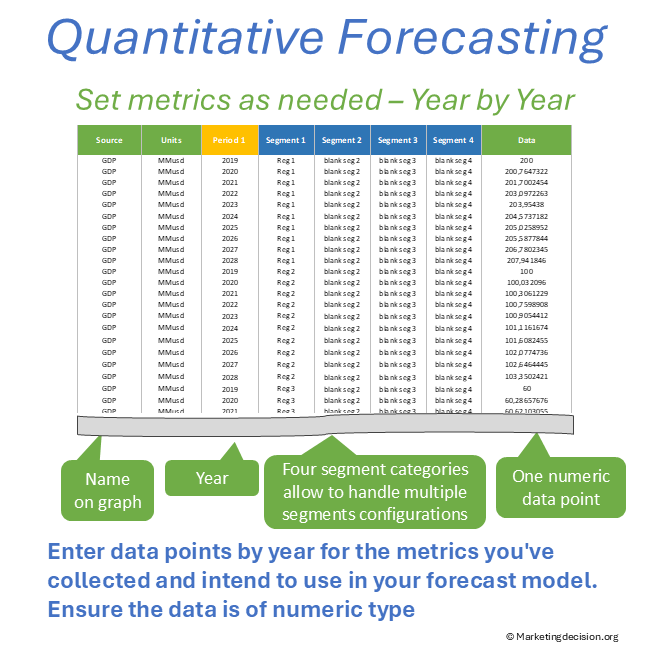
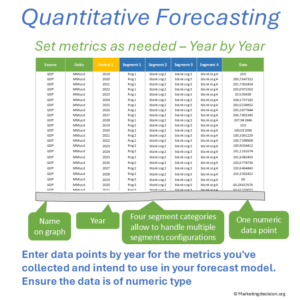 Step 1: Enter Your Annual Market Data
Enter the quantitative data you want to evaluate in the workbook.
Each dataset can represent a relevant market indicator, external forecast, internal metric or other quantitative source.
The tool uses annual data, with one value per year for each metric.
The different annual data series are organized across the same years so that their development can be analyzed and compared consistently.
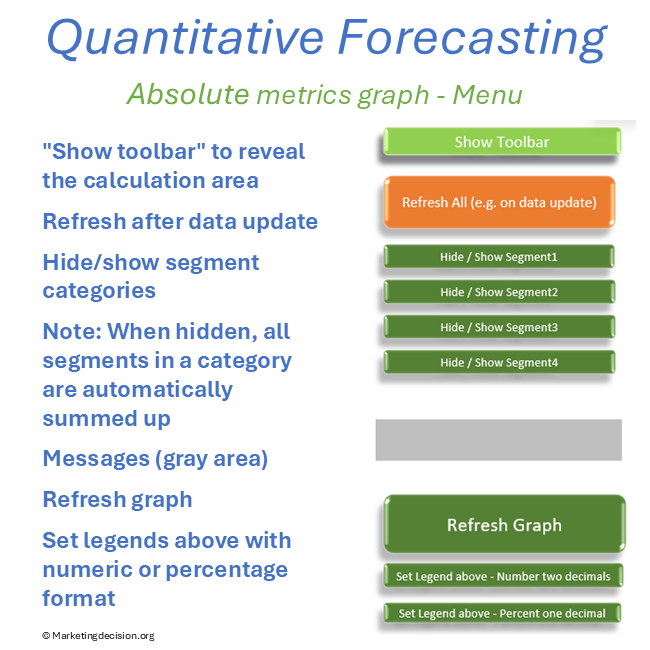
Use the Absolute Metrics analysis to examine the original data and compare metrics expressed in compatible units.
Filters and display options help you focus on the information relevant to the analysis.
This view is particularly useful for checking the underlying data before moving to relative comparisons.
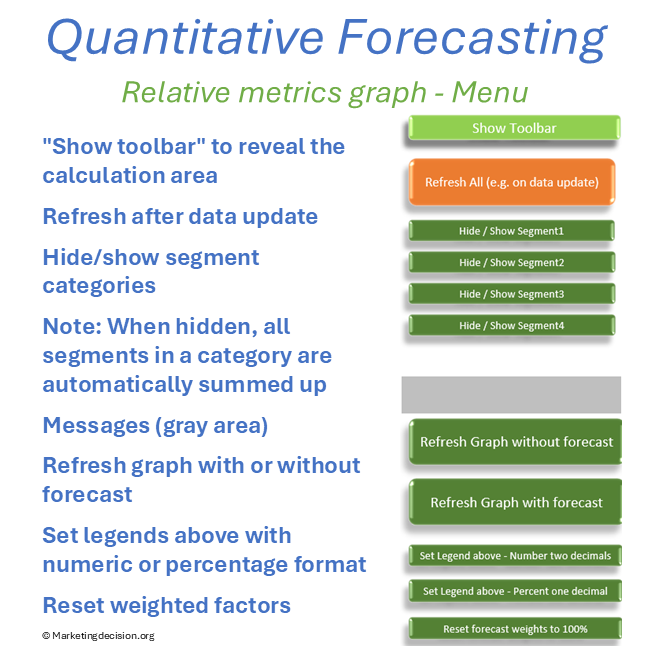
Use the Relative Metrics analysis to compare sources expressed in different units.
Select the Current year. It acts as the pivot between historical and forecast data, allowing the different annual datasets to be compared through their growth trajectories.
This makes it easier to see which indicators suggest stronger or weaker market development and where their evolution converges or diverges.
Not every source needs to contribute equally to the final forecast.
Select the metrics you consider relevant and assign an appropriate weighting to each.
The tool automatically normalizes the selected weights to 100%.
This allows you to test how different assumptions influence the consolidated market outlook while keeping the contribution of each source transparent.
The weighted metrics are combined into a consolidated quantitative market forecast.
You can display the final forecast together with the underlying metrics or show the consolidated trajectory separately.
The forecast can therefore be used not only as an output, but also as a basis for discussion.
When assumptions change or new annual information becomes available, the analysis can be updated and the effect on the forecast reviewed.